
Finding help
There are short guides for every page. The help panel shows you the matching ones right away, and the search finds the rest.
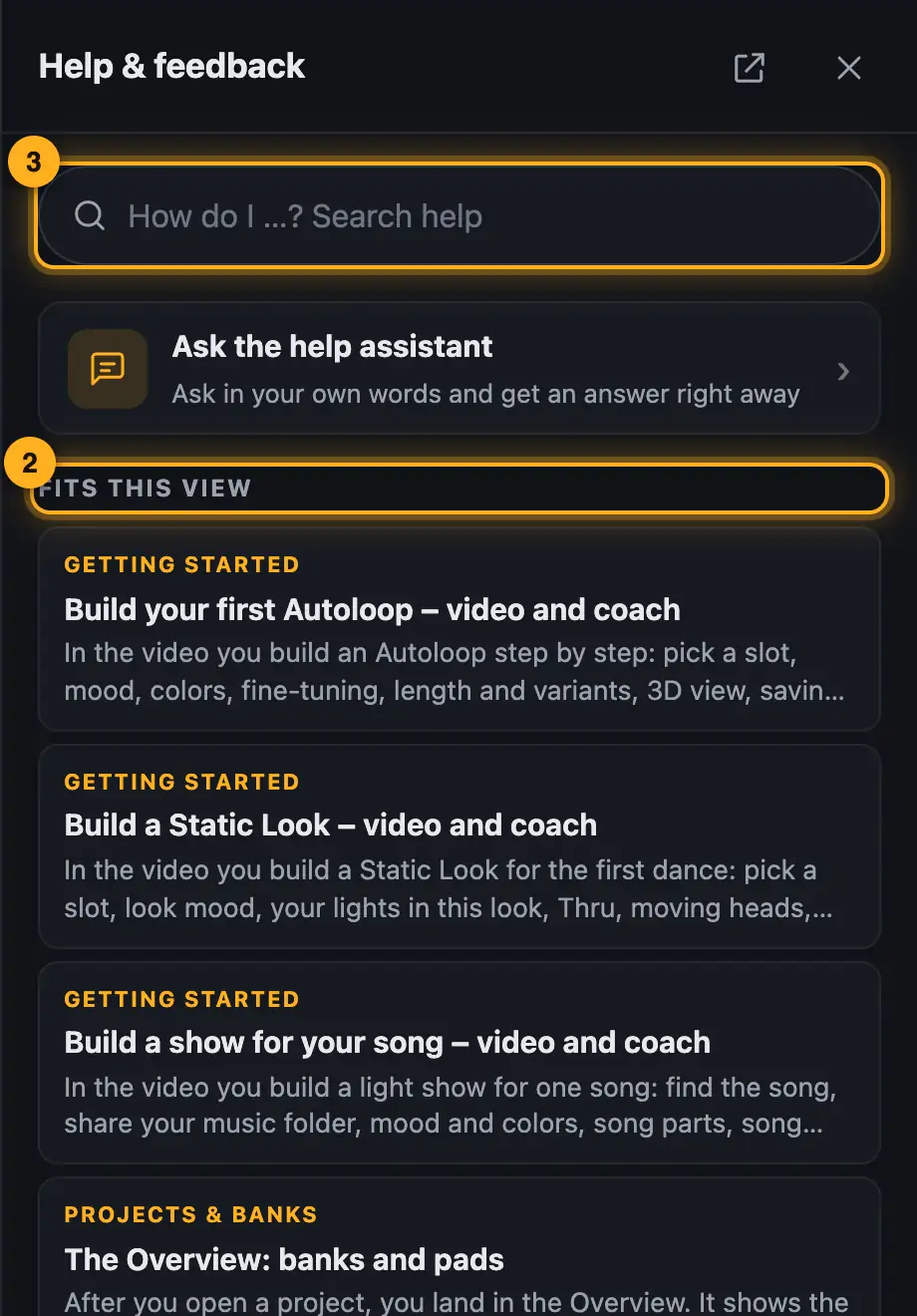
Step by step
- Tap “Help” at the top right. The “Help & feedback” panel opens at the side.
- “Fits this view” lists the guides for the page you're on.
- Or type what you want to know into the search field (“How do I …? Search help”), e.g. “song missing” or “password”. Press Enter to open the first result.
- Tap a result. The guide opens in the same panel, the arrow at the top left takes you back.
- Below each guide, answer “Did this help?” with “Yes” or “No”.
Good to know
- “All guides in the help center” opens all chapters in a new tab. There, the / key jumps to the search field.
- If the search finds nothing, you can send us the question directly. See Suggest an idea or ask a question.
- Under “Report something” you report bugs or send ideas and questions. See Report a bug.
- On the website with an account, the help panel also searches the community once you've typed 4 characters. Matching questions appear under “From the community”, marked “Solved” or with their number of answers. Tapping one opens the question in a new tab.
- Below that, “Ask the community” starts a new question with your search text already in the title. “Open community” takes you straight to the community (see Ask the community a question).
- With an account, the “My feedback” link sits at the bottom next to “All guides in the help center” (see My feedback and replies).
- The ? key opens and closes the help panel, as long as you're not typing in a text field.
- When a dialog is open, it has its own small “Help” button.
Questions
I can't find a matching guide.
Write to us via “Ask a question”. We reply by email and add to the help.
Is the help also available in German?
Yes. The help appears in the language you've set (see Changing the language).
More from “Getting started”
- What is Droplit?Droplit builds light shows for SoundSwitch without programming effect after effect. You pick a slot, a mood and colors. Droplit turns that into a show for exactly your lights and saves it to your SoundSwitch project.free to read
- What you needFor Droplit you need a SoundSwitch project with your lights.free to read
- Getting started in the web versionThe web version runs in Chrome or Edge and needs a free account. Once it's set up, you're in your project with a few clicks.free to read
- Sharing your SoundSwitch folder or a projectIn the web version, the designer works directly with your SoundSwitch projects. To do that, you share them with the browser once: either the whole folder with your projects or just a single project. Nothing gets uploaded.free to read
- Opening and switching projectsOn the start page you choose the SoundSwitch project you want to design. After that you see your lights, banks and songs in the Overview.free to read