
Your roadmap: only the guides that fit you
Three quick questions turn all the guides into your own path: Droplit shows you step by step what's next and hides what doesn't fit your setup right now.
Step by step
- In the “Welcome to Droplit!” window, tap “Let's go”.
- Pick your DJ software, e.g. “Engine DJ” or “rekordbox”. Not sure yet? Tap “Not sure yet”.
- Pick how far along you are: “I'm just starting”, “My first shows are running” or “I want full control”.
- Tap every kind of light you have, e.g. “Moving heads” and “Pars and uplights”, then “Show my roadmap”.
- “Your roadmap is ready” shows your stages and your first step. “Start now” opens it, “Go to Droplit” closes the window.
- Later, tap “Next” at the top of the start page or the help center to open your next step.
Seeing the full roadmap
- In the help center, tap “Full roadmap” at the top.
- At the top you see your progress and your three answers. Tap an answer to change it.
- “Up next” shows your next step. “Let's go” opens the guide, “I know this” ticks it off without reading it.
- Below are the stages, from “Connect” to “Pro tools”. Tapping a stage opens its guides, the circle in front of a guide ticks it off or back on.
- “… hidden” shows the guides that don't fit you right now, e.g. for other DJ software.
Good to know
- Every guide you open counts as read – in the help and in the help center. In the help, your roadmap sits under “Set up & learn”.
- Stages you probably know already, based on your answer, are dimmed with “you probably know this”. They stay open for reference.
- On the right you'll find “New for you” (news on your path) and “Common pitfalls for your setup” with the fix to open.
- The roadmap is saved in this browser. On another computer, just answer the three questions again.
Questions
Can I answer the three questions later?
Yes. Tap “Later”. The help center then shows “New here?” with “Create my roadmap” at the top.
How do I change my answers?
In the full roadmap, tap one of the three answers at the top, or “Answer the questions again” at the bottom right.
Do I miss anything because of the hidden guides?
No. Hidden guides are under “… hidden” and still turn up in the search.
If something goes wrong
- The welcome window doesn't appear: it only shows on your first start. Open the roadmap in the help center with “Create my roadmap”.
- Progress is back at 0 %: the roadmap is stored in the browser. In another browser or after clearing the site data it starts over.
More from “Getting started”
 What is Droplit?Droplit builds light shows for SoundSwitch without programming effect after effect. You pick a slot, a mood and colors. Droplit turns that into a show for exactly your lights and saves it to your SoundSwitch project.free to read
 What you needFor Droplit you need a SoundSwitch project with your lights.free to read
 Getting started in the web versionThe web version runs in Chrome or Edge and needs a free account. Once it's set up, you're in your project with a few clicks.free to read
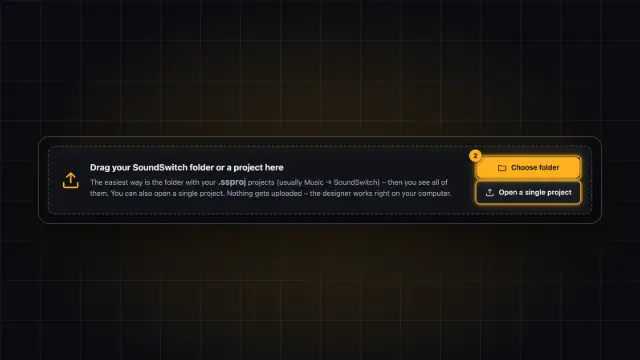 Sharing your SoundSwitch folder or a projectIn the web version, the designer works directly with your SoundSwitch projects. To do that, you share them with the browser once: either the whole folder with your projects or just a single project. Nothing gets uploaded.free to read
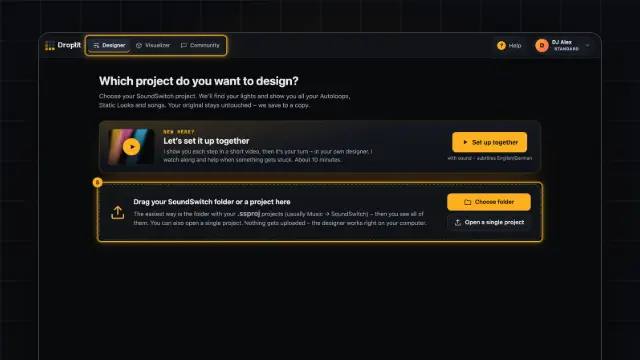
 Opening and switching projectsOn the start page you choose the SoundSwitch project you want to design. After that you see your lights, banks and songs in the Overview.free to read