
Basic structure from the song analysis
In Effect lanes, “Basic structure from song analysis” fills the whole song at once with building blocks from the effect library: a matching block for every drop, every groove and every calm part. Then you keep refining the clips.
Step by step
- Open the song in the Studio, choose the “Everything” level at the top and the “Effect lanes” tool on the left.
- Wait until the song parts are detected below.
- Tap “Basic structure from song analysis”.
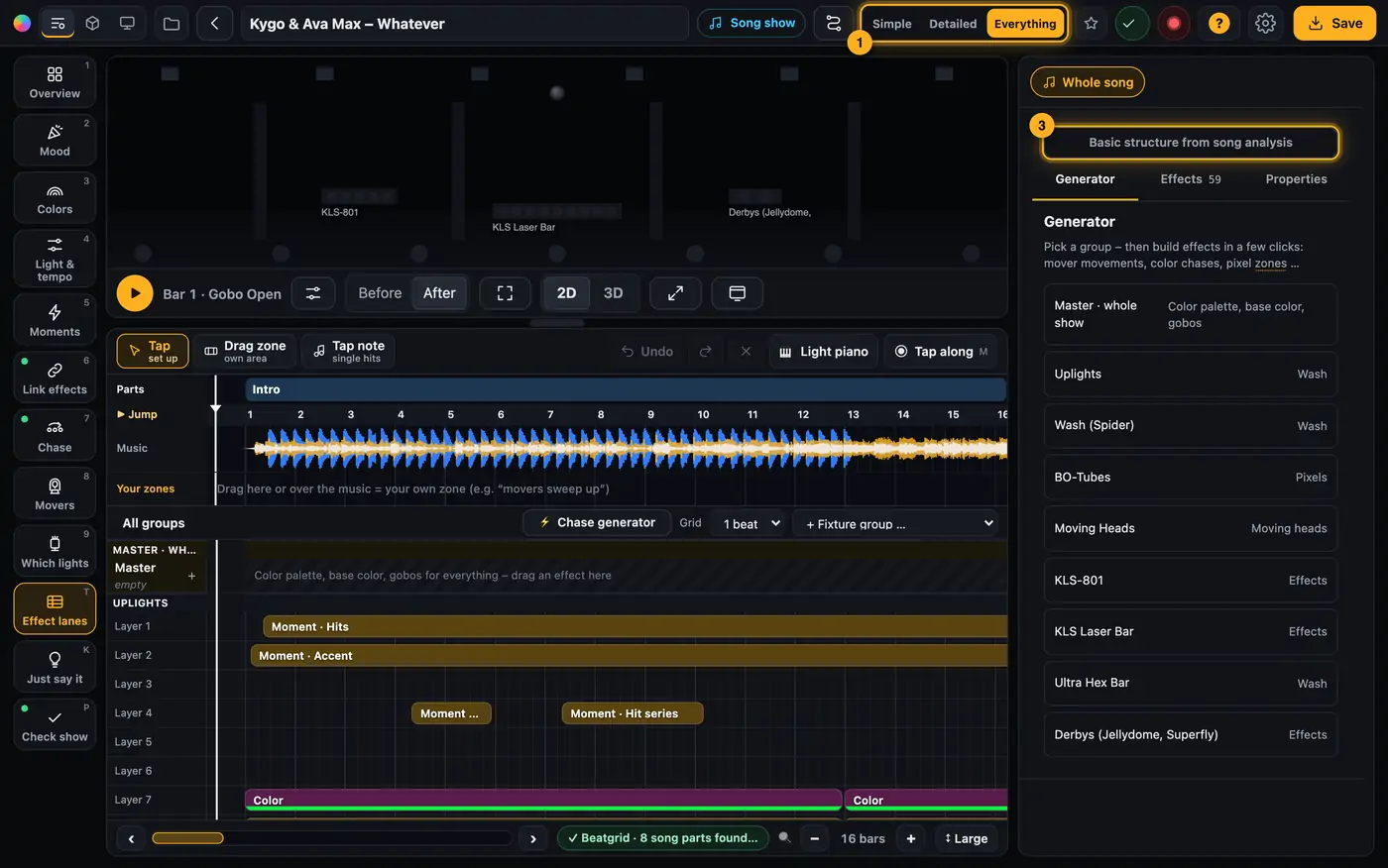
One button creates the framework. - If the show already has clips, Droplit asks “The basic structure replaces all … clips. Continue? (⌘Z undoes it)”. Confirm with “OK”.
- You see “… sections filled: …”. Above the timeline there are now colored bands with the names of the parts, below them the new clips for each fixture group.
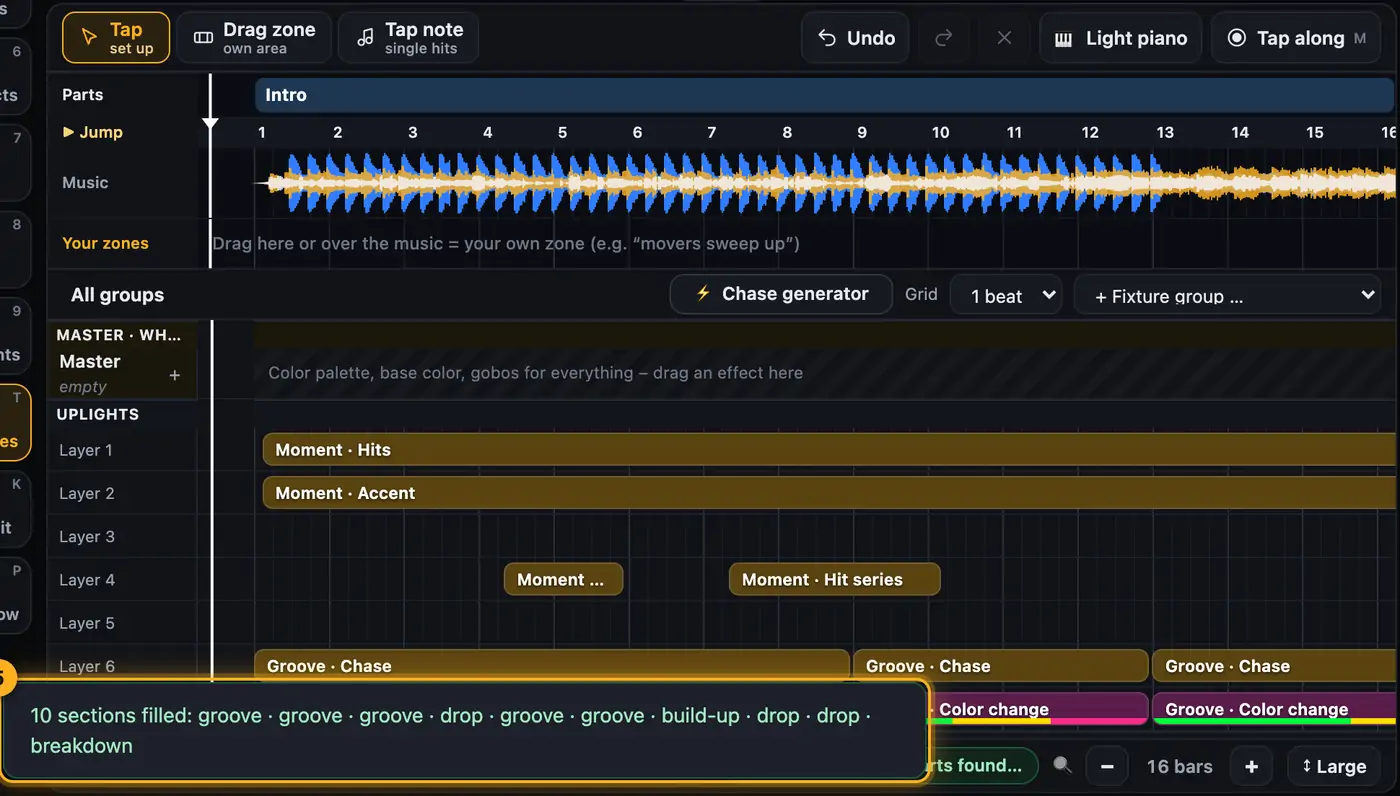
Every song part now holds clips. - Play the song and change what you don't like: move, shorten or delete clips, or add new effects.
- Save with “Save to SoundSwitch”.
More from “Song shows”
- What is a song show?A song show is a light show for exactly one song. It follows the song's structure with calm parts, build-ups and drops, and plays along in SoundSwitch automatically as soon as you load the song.Summary
- Song studio – parts, zones, notes and effect chainsThe song page works like a lighting console: tools on the left, the stage in the middle, below it the song as part cards and as a timeline with the beatgrid. On the right you adjust whatever you tapped below – the whole song, a part, a zone or a single note.Summary
- Your song is missing from the listThe song list only shows songs that SoundSwitch has already created a script file for. SoundSwitch creates this file once you open the song there, place an effect and save.Summary
- Choosing and opening a song“Songs” lists every song that SoundSwitch has set up for a show. Tap a song to open it in the Studio.Summary
- Song analysis: beatgrid, drops and breaksTo make the show fit the music, Droplit takes the beatgrid from SoundSwitch and listens to the audio file hit by hit. From that it builds the song parts Calm, Groove, Build-up, Drop and Breakdown, and the special moments: hard hits, drum passages, breaks, fills and impacts.Summary