
Combo fixtures (GigBAR, KLS Laser Bar, Multi FX Bar …)
Combo fixtures have several kinds of light in one unit: pars, derbys, lasers, strobe LEDs and sometimes moving heads or scanners. The visualizer shows them as one fixture with every part where it really sits, so they look like the real thing.
Step by step
- Open your project in the visualizer. It detects known combo fixtures by itself, in two ways:
- You patched the unit with its SoundSwitch profile, e.g. “GigBar Move” or “LED KLS Laser Bar”.
- You set the unit to its largest DMX mode and created one SoundSwitch fixture per part (e.g. “GigBar Pars”, “GigBar Derbys”, “GigBar Laser”), patched back to back. The visualizer compares the channels with the unit's mode and combines the fixtures into one.
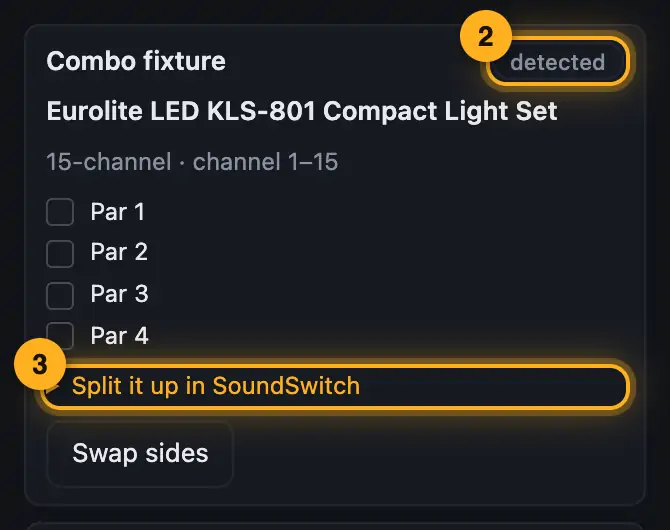
- Click the fixture. Under “Combo fixture” you see whether it was “detected” or only “guessed”.
- If you want to split your unit in SoundSwitch, open “Split it up in SoundSwitch”. It tells you which mode to set and which channels belong to which part.
More from “Fixture profiles & rig”
- How Droplit recognizes your lightsDroplit reads your SoundSwitch project and builds your rig from it: which fixtures there are, what they can do, which groups they belong to and in which order they stand. You don't have to create anything by hand.Summary
- Roles: what a fixture does in showsThe role decides what a fixture does in your shows. The designer assigns it when it recognizes your rig, and if it got something wrong, you change it with a few clicks.Summary
- Roles & order: check groups and rolesIn the “Roles & order” window you check and change what the designer recognized from your patch: groups, order, roles, moving heads, positions and gobo mapping.Summary
- Taking over your rig in another projectA checked rig doesn't only apply to copies with exactly the same patch. If you open a project where your fixtures are patched a little differently, the designer takes over groups, roles and order from the most similar rig you have already checked.Summary
- Hiding fixtures you don't bringNot every fixture in your patch comes to every gig. If you hide it, it disappears from the 3D view and the floor plan, and in “Fixtures & stage” the shows leave it out too.Summary