
Distribute uplights: all lamps with one click
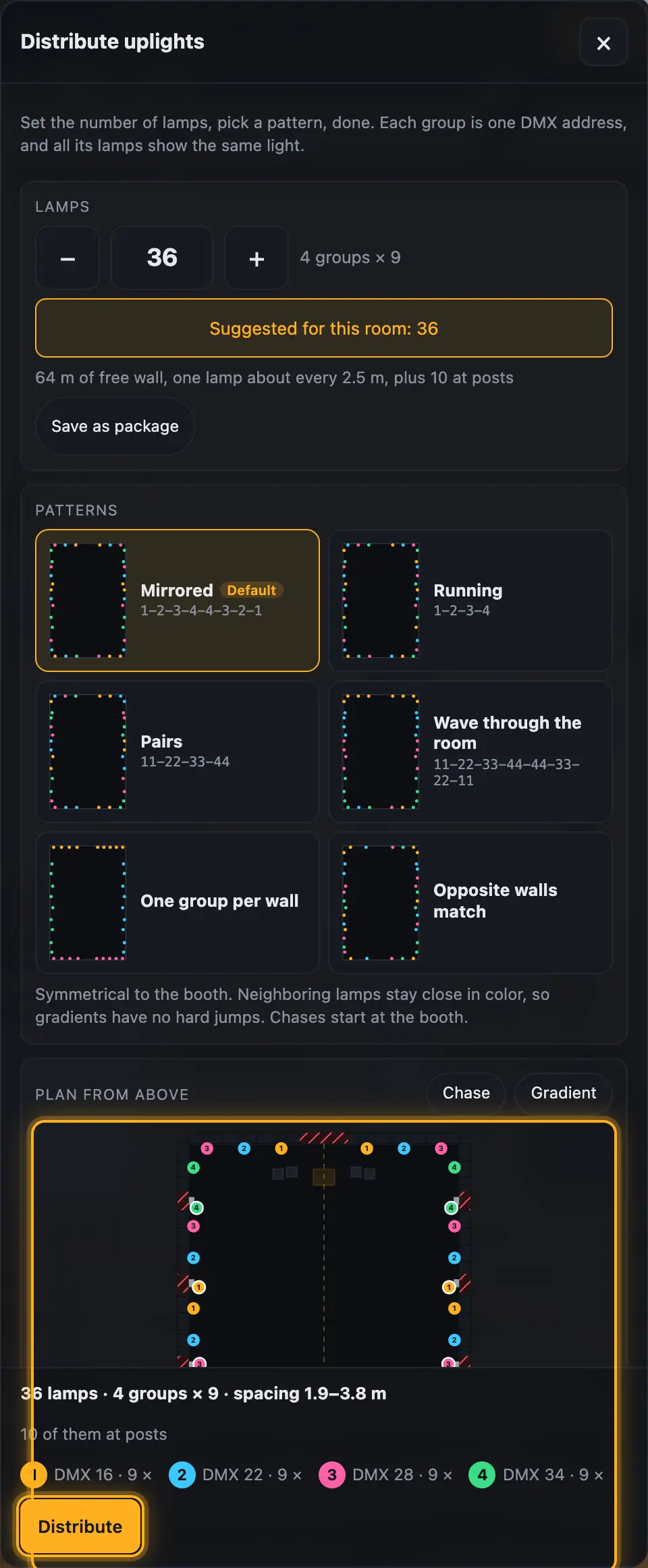
“Distribute uplights” places all your uplights around the room at once, instead of dragging each lamp. Set the number of lamps and pick a pattern, and the rest happens by itself. A group is one DMX address: all lamps in a group show the same light. The number of groups comes from your patch.
Step by step
- Set the number of lamps with − and +, or type it in. Next to it you see how it splits across your groups, for example 22 lamps on 4 groups: 6 · 6 · 5 · 5.
- Not sure how many you need? “Suggested for this room” works from the free wall length at about 2.5 m spacing, plus one lamp per post.
- Pick a pattern. After a click, the 3D view shows where the lamps stand.
- In “Plan from above”, tap wall sections that should stay free. Tap again to release them.
- “Chase” and “Gradient” show how the pattern looks in action.
- Click “Distribute”. ⌘Z / Ctrl+Z undoes it.
More from “Fixtures, stage & 3D”
- The workbench: setting up the visualizer with the toolbar on the leftThe visualizer has a new layout: instead of one long sidebar and lots of buttons at the top, there is a toolbar on the left with seven areas. Only one area is open at a time, and the 3D view stays large next to it. At the top you see which location and which setup are loaded, and the search gets you to any function in two seconds.Summary
- Opening and using the 3D visualizerThe 3D visualizer shows your lights on a virtual stage. You see what SoundSwitch or Droplit is sending to your fixtures right now, and you can rebuild your real setup.Summary
- Fixtures & stage in Droplit“Fixtures & stage” is the full 3D visualizer right inside Droplit. This is where you set up your stage and hide fixtures that your shows shouldn't use.Summary
- Choosing the source: SoundSwitch, Designer or test patternAt the top right of the 3D view you choose where the light values come from. You either watch live what SoundSwitch sends to your fixtures, or the preview from Droplit.Summary
- Fixture details and DMX monitorClick a fixture to see its address, its mode and all channel values live. The DMX monitor adds all 512 channels of a universe at a glance.Summary