
Check and present: sight lines, sound, cables, take a seat, video, sunset
Six tools help you check a setup before the gig and show it to the couple. You'll find them in the bar on the left under “Check” (“Sight lines”, “Sound”, “Cables & power”), “Film” (“Film studio”, “Take a seat”) and “Event” (“Date & sun”). The overlays disappear as soon as you close or switch the area. On top of that, there's the photo look with ChatGPT in the “Location” area.
At the top of “Check”, the check lights sum everything up at a glance, plus a packing list and a package comparison – see Check lights, packing list, capacity and package comparison.
Check sight lines
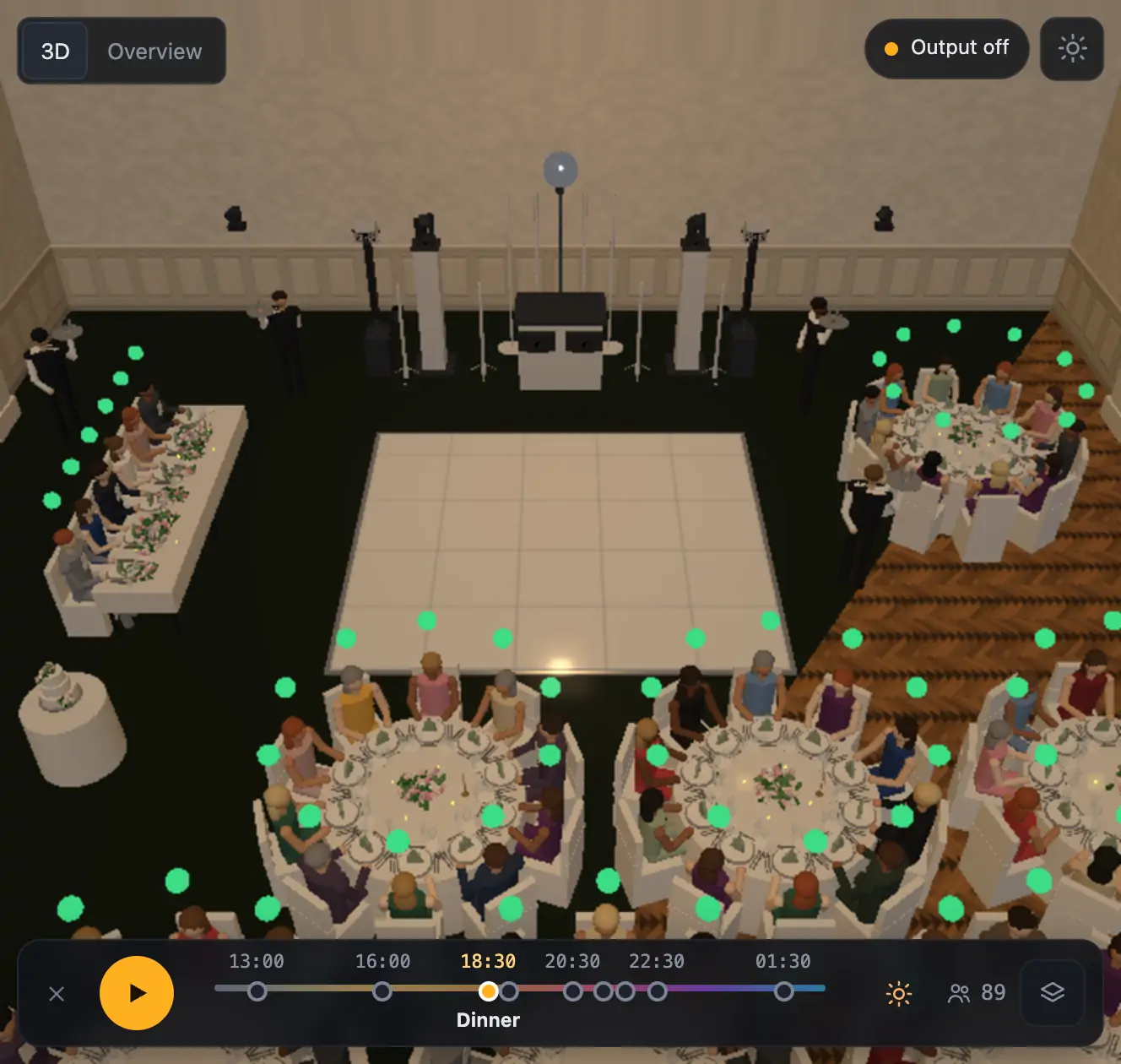
For every chair the visualizer checks at eye level whether the target is visible: Couple / guest of honor table, DJ booth, Dance floor or Screen / LED wall. A dot appears above each chair – green clear, yellow partly, red blocked – plus a red line from blocked seats to the target. Below it you see what's most in the way, e.g. “Pillar blocks the view for 7 seats”. Tall centerpieces (candelabras) count too.
More from “Fixtures, stage & 3D”
- The workbench: setting up the visualizer with the toolbar on the leftThe visualizer has a new layout: instead of one long sidebar and lots of buttons at the top, there is a toolbar on the left with seven areas. Only one area is open at a time, and the 3D view stays large next to it. At the top you see which location and which setup are loaded, and the search gets you to any function in two seconds.Summary
- Opening and using the 3D visualizerThe 3D visualizer shows your lights on a virtual stage. You see what SoundSwitch or Droplit is sending to your fixtures right now, and you can rebuild your real setup.Summary
- Fixtures & stage in Droplit“Fixtures & stage” is the full 3D visualizer right inside Droplit. This is where you set up your stage and hide fixtures that your shows shouldn't use.Summary
- Choosing the source: SoundSwitch, Designer or test patternAt the top right of the 3D view you choose where the light values come from. You either watch live what SoundSwitch sends to your fixtures, or the preview from Droplit.Summary
- Fixture details and DMX monitorClick a fixture to see its address, its mode and all channel values live. The DMX monitor adds all 512 channels of a universe at a glance.Summary