
Remove “Invert P/T” from SoundSwitch without redoing your positions
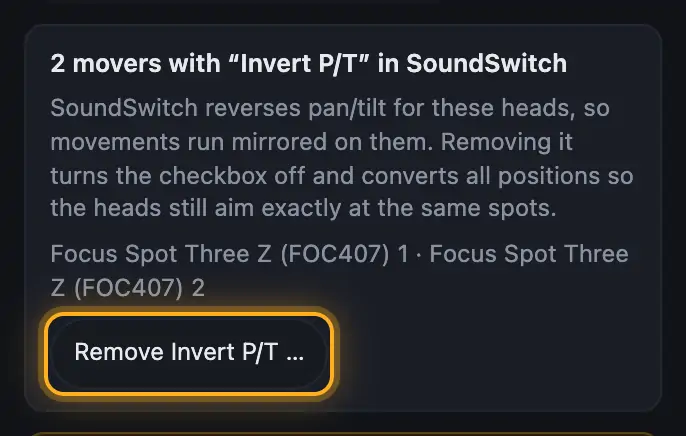
In SoundSwitch you can reverse pan and tilt for each moving head under “Edit Positions” (“Invert P/T”). Many people use it so every other head circles the other way. If you simply turn it off in SoundSwitch later, these heads point mirrored in all positions and you'd have to set every position again. Droplit does it for you: it turns the checkbox off and converts all positions so the heads still aim exactly at the same spots.
Step by step
- Open “Aim” → “Set mover positions”.
- The box shows which heads are reversed.
- Tap “Remove Invert P/T …” and then “Yes, remove it and convert positions”.
- It's saved in a copy of your project. Open this copy in SoundSwitch.
More from “Fixtures, stage & 3D”
- The workbench: setting up the visualizer with the toolbar on the leftThe visualizer has a new layout: instead of one long sidebar and lots of buttons at the top, there is a toolbar on the left with seven areas. Only one area is open at a time, and the 3D view stays large next to it. At the top you see which location and which setup are loaded, and the search gets you to any function in two seconds.Summary
- Opening and using the 3D visualizerThe 3D visualizer shows your lights on a virtual stage. You see what SoundSwitch or Droplit is sending to your fixtures right now, and you can rebuild your real setup.Summary
- Fixtures & stage in Droplit“Fixtures & stage” is the full 3D visualizer right inside Droplit. This is where you set up your stage and hide fixtures that your shows shouldn't use.Summary
- Choosing the source: SoundSwitch, Designer or test patternAt the top right of the 3D view you choose where the light values come from. You either watch live what SoundSwitch sends to your fixtures, or the preview from Droplit.Summary
- Fixture details and DMX monitorClick a fixture to see its address, its mode and all channel values live. The DMX monitor adds all 512 channels of a universe at a glance.Summary